Free · no login · 3 Telegram bots

Everything about any Telegram account.

Find the ID of anyone, any group or channel. See the real month an account joined Telegram. Get a card of your account to share.

Open @userid_botWhen did I join? →

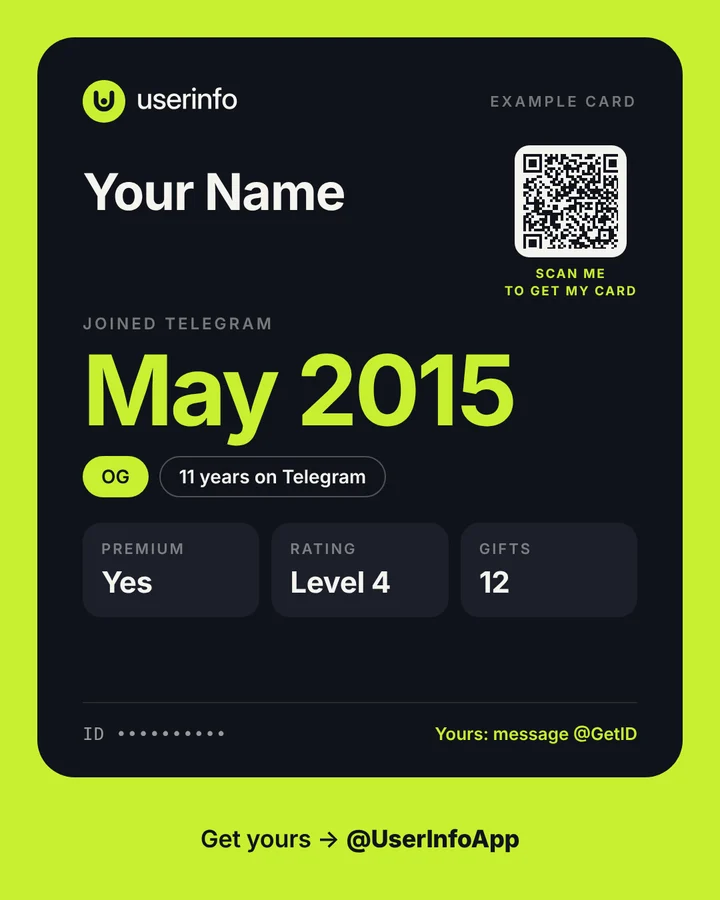
Example account card: joined May 2015, OG, 11 years on Telegram, Premium, rating level 4, 12 gifts, with a QR code
An example card from @UserInfoApp

Three bots, one question: who is this account?

IDs

@userid_bot

Your ID the moment you press Start. Anyone's ID: pick them from your chats, even if they hide forwards. Any group, channel or forum ID.

  • "Reveal date" on every result, and a ✔️ for accounts verified by @GetID
  • Works in groups and inline: /groupid, /getid
Open @userid_bot

Join date

@GetID

Send it any message and it tells you the month your account joined Telegram, read from Telegram itself, not guessed.

  • Your number's country (only you see it)
  • Premium, rating, gifts and collectible usernames
Message @GetID

Details & card

@UserInfoApp

All your account details in one place, and a card with a QR code you can drop into any chat.

  • Your era, badges and the data center your account lives on
  • Share your card in any chat, and see how many people opened it each week
Open @UserInfoApp

The real join month, not a guess

When someone you've never talked to messages you, Telegram shows you the month their account was created. @GetID is an account built to read exactly that for you, the moment you write to it.

Most "account age" tools guess from the ID number. That guess can be a year off. The month from @GetID comes from Telegram.

  1. Open @GetID and send any message.
  2. Get your card back in a few seconds: ID, join month, era, country and stats.
  3. Hide it any time with one tap if you don't want others to see it.

Which era are you?

🏛 Pioneerjoined 2013–2014
💎 OGjoined 2015–2016
🏅 Veteranjoined 2017–2019
🎓 Class of 20XXjoined 2020 or later

Find any ID in three taps

  1. Open @userid_bot and press Start. Your own ID shows right away.
  2. Tap a button: User, Premium, Bot, Group or Channel.
  3. Pick from your chats. You get the ID and username, with a link to reveal the join month.

You can also forward a message, or type an @username or a numeric ID.

What we can't do (and nobody can)

  • No phone numbers. Telegram never gives them to bots. Anyone who promises this is scamming you.
  • Someone else's join month needs them. You see it only if they've checked their own account with @GetID and haven't hidden it.
  • Month, not day. Telegram only shares the month an account joined.

Common questions

Is userid free?

Yes. All three bots are free and need no login or sign-up. You can optionally support @userid_bot with Telegram Stars, but nothing is locked behind a payment.

Can userid show someone's phone number?

No. Telegram never gives a person's phone number to bots unless that person shares their contact themselves. Any bot or website that claims to find a phone number from a Telegram ID or username is lying or running a scam.

How do I see when a Telegram account was created?

Send any message to @GetID from that account. Telegram itself shows the month the account joined, and @GetID reads it for you. For someone else, tap Reveal date on their result in @userid_bot: @GetID shows their month if they've checked their own account there and haven't hidden it.

How accurate is the join month?

Exact to the month: it comes from Telegram itself, not from a guess. Telegram only shares the month, never the day, so that's as precise as anyone can be. Tools that show an exact date or an "account age" for anyone are estimating it from the ID number, which can be off by a year.

What does "Reveal date" and "Verified by @GetID" mean?

Every result in @userid_bot has a Reveal date link that opens @GetID. "Verified by @GetID" means that person checked their own account with @GetID, so their real join month is known. If they haven't, only they can reveal it: ask them to share their account card.

All questions →

Start with your own account.

Open @userid_botOr message @GetID →